

I admit that for a while now I've been intrigued by the ads for the Fjorden attachment for iPhones, purported to be a major advance to iPhone use. So I jumped in and gave it an intensive series of field tests that I'm reporting on here.
The Fjorden
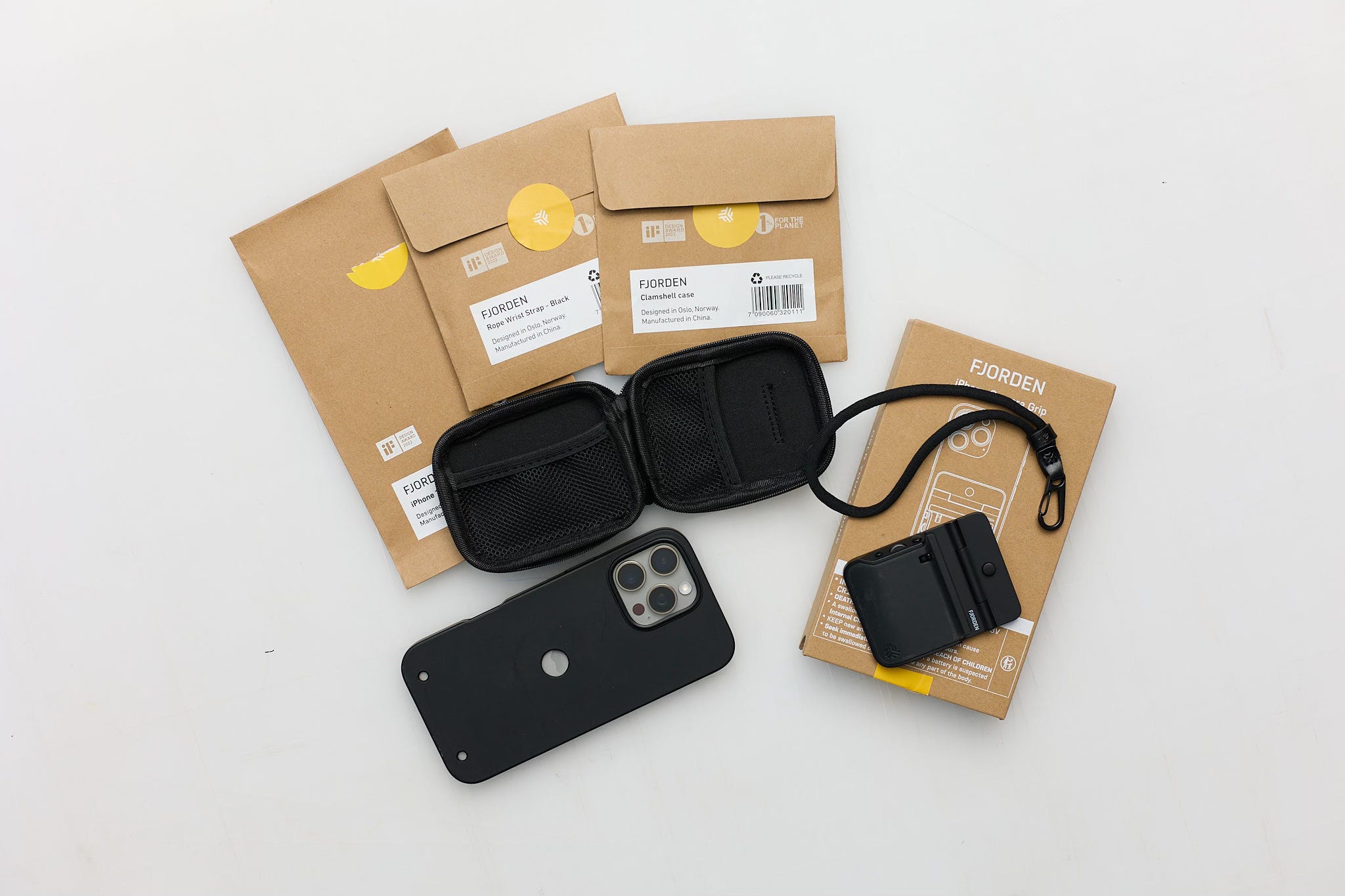
Fjorden is a Norwegian product that is designed to give a more camera-like feel to iPhone use. It very easily attaches to the iPhone, providing a grip, shutter button, zoom, function button, software and a few other bells and whistles. Fjorden was recently acquired by Leica, so I'm eager to see how that effects future product development and, even more so, the integration of more powerful capture and editing software.
The Background
Some items to mention at the outset of this review. First is that I can only speak to the Fjorden mated to the iPhone 16 ProMax, as that is the only smart phone I own. Second, Fjorden sent me their device for my review with the understanding, as I have when I review any product, that my review will be candid as far as my experience goes - pros and cons- with it. Finally, I had a few months to work with the Fjorden, trying it out for landscapes (Norway), architecture (New York City), and travel (Amsterdam). I then printed several of the scenes, although that is more a statement of the iPhone's capabilities than the Fjorden. In a previous post I discussed the ability of the iPhone 13 to render quality prints. The iPhone 16 Pro Max also proved its print-capable worth, at least up to the 13 x 19 (A3+) size.
I'm not an expert on iPhone photography and until this test I only used it as a minor supplement to my traditional 35mm and medium format photography. I think that's actually a plus for a review of this kind.
I've always been somewhat bothered by the contortions sometimes needed to get the shot I want with an iPhone, but I'll attribute some of that to age. But the iPhone also lacks more sophisticated photographic controls that those of us who are serious photographers depend on. But here I am in a new photographic era and I figured that if the Fjorden helped me in even minor ways that would be good for me and helpful for you to know. If it hindered me, then you should know that, too.
The Test
To discipline myself for this test, I played with the Fjorden around my neighborhood for a couple of weeks. Then I ventured to NYC for three days with only my iPhone/Fjorden combo in hand. This was a first for me, to not have my medium format, tripod and lenses on a photo quest.
The second instance was a 10-day visit to Amsterdam and nearby cities, once again with only my iPhone/Fjorden (and one other item which I'll describe down below).
The third instance was a two-week visit to Norway, but in that case I did have my Fujifilm GFX 100 medium format setup for scenes beyond the capabilities of an iPhone. I took the iPhone/Fjorden images when time and weather allowed. I must say that for most of my time in Norway's Lofoten Islands the weather was a sustained miserable, alternating between rainy, windy, and a few snow dustings. Then, for three days straight I hunkered down through gale and hurricane force winds, where I expected at any moment the roof would be blown off the tiny, swaying, waterfront cabin I was in. So while the bad weather was a good test for the iPhone/Fjorden, it sucked for capturing good images. Now let's get down to the nitty gritty.
The Pluses
Let's face it, the Fjorden is a nifty and pioneering device. Here are its main positive features as I experienced them.
Ease of Use. The Fjorden case is super easy to install on your phone. The grip mounts to the case in under a second. Sweet!
Compact. You need to remove whatever iPhone case you're currently using and install the Fjorden case, which slips on easily. The case and grip takes up very little room, so pocket carry was easy for me. One caution here is that if you always put the combo in your pocket with the grip facing upwards, it may stick out and make pickpocketing more likely in crowded cities. I was warned about this in NYC and Amsterdam. I use cargo pants with big pockets when out shooting, so it was not a problem for me.
The Grip. Having a camera-type grip is a good idea. It was an okay fit for me, but not in all situations. I suspect that people with large hands might have an issue with it. This is really no different than the grips for 35mm or medium format cameras. I hated my Hasselblad HD-40 grip, but love my Fujifilm GFX 100 grip. Go figure.
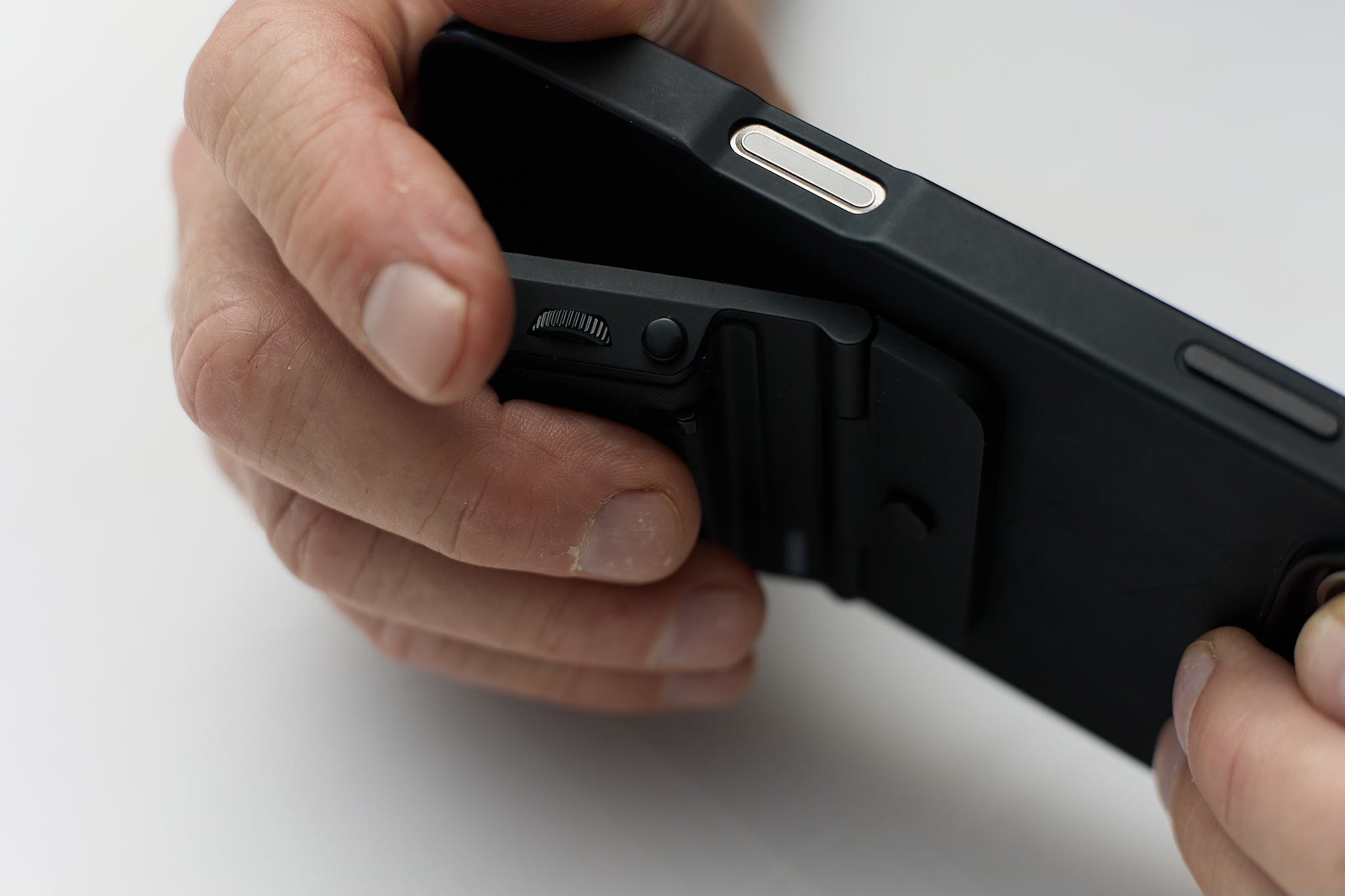
Zoom. There is a little toggle control that allows you to zoom in and out without removing your hand from the grip. It fit my hand nicely, allowing me to change framing options on the fly. The zoom control automatically works when using the Fjorden app and the Pro Camera app, but I couldn't get it to work with the Lightroom app. Reminder: when you zoom off the iPhone optical lens options (.5, 1.0, 5.0) you are getting a digital zoom.
Stability. I found that using the Fjorden enabled me to shoot from a more stable platform. With the grip, you grasp the phone more securely, without fear of it falling out of your hands. This came in handy as I reached over barriers at the many canals in the Netherlands, when I shot on the crowded streets of NYC, and when I stood precariously on rocks at the seashores in Norway.
Function Button. This button allows you to assign a function - from a list of possible actions - to a button on the right side of the shutter button. The placement is far enough away that it doesn't interfere with pressing the shutter quickly. Note that the function button only works when using the Fjorden app while photographing.
Fjorden app. I like the Fjorden app for its simplicity and ease of use. However, if you want more control and shooting options, you may want to have an app like Pro Camera or Lightroom available for those out-of-the-box image captures. I also had to download a separate slow shutter app to record multi-second images on my Really Right Stuff travel tripod as neither Pro Camera nor Lightroom supported that function.


The Minuses
Frustrations. One of the frustrations for me was that when I turned on my phone ready for quick use, I had to wait for the Fjorden to pair. Granted this was only seconds, but I ended up missing a few shots, such as catching a canal boat in Amsterdam at precisely the right spot in the frame. In some cases, I had to press the shutter button once before the Fjorden acknowledged it was paired and press it again for the capture, more of a minor nuisance. Once I got used to that, I jut pressed the shutter button as soon as I approached a scene.
Wonky rotation. Turning the Fjordan grip from horizontal to vertical should be a fast and error-free motion. It's not. I estimate that 75% of the time the grip came out of the attachment point of the case as I turned it. I had to fumble with it to get it back into position and that resulted in several missed shots. I'd like to see the attachment point of the grip-to-case be more secure, so that changing orientation from horizontal to vertical is quick and accurate, without the grip slipping out of its attachment point.
Uncomfortable shooting. There were times when I wanted to capture a scene at ground level (camera upside down and touching the ground). I felt that tapping the iPhone circle release was more fluid than the finger manipulation needed to work the Fjorden shutter button.
Filters
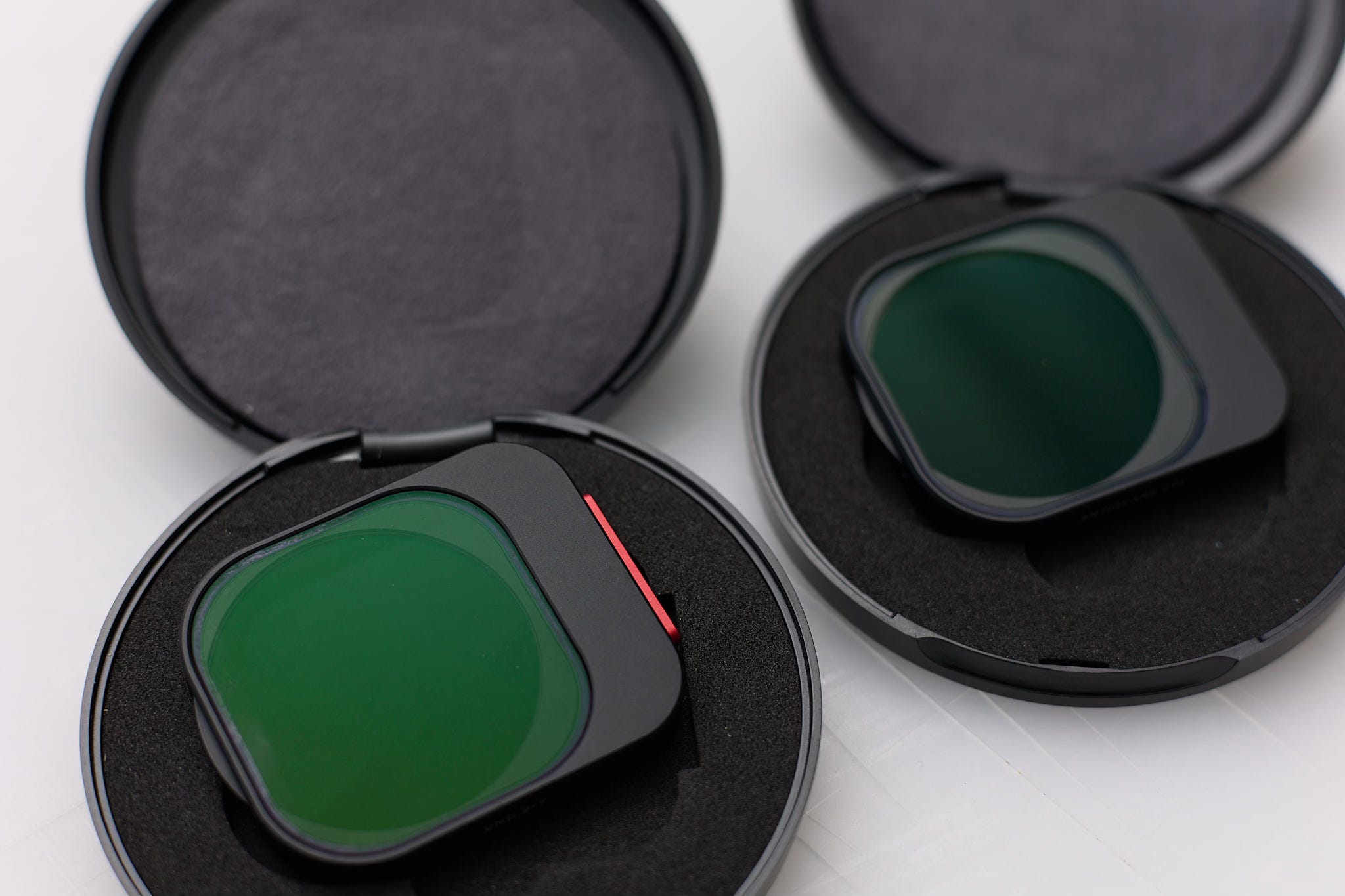
For this field test, I paired the Fjorden with two Moment filters for the Amsterdam segment; a circular polarizer and a variable neutral density. The filters are super easy to put on and take off the Fjorden case.
The Prints
I chose several of the images I captured with the Fjorden and printed them at 13 x 19" (A3+) on Moab Entrada Natural and Moab Entrada Bright, using the Lightroom print module on a Canon ProGraf 1000 printer. A few of the images, which were more painterly, I printed on Moab Entrada Coldpress, which is a wonderfully textured paper. As expected, the images turned out nicely, similar to other 13 x 19 iPhone images that I described in an earlier post.
The Verdict
In the end, I liked the feel and utility of the Fjorden. The grip approached the feel of a traditional 35mm camera, at least as far as one can expect a smart phone to achieve that. However, probably 50% of the time, due to the by-now ingrained iPhone habit, I ended up shooting with the baked in iPhone shutter release circle, using the Pro Camera app.
I do think the Fjorden is a great first step in upping the game for smartphones. But without a viewfinder, using any smartphone experiences difficult glare on sunny days. This is certainly not a fault with the Fjorden, but with the unique nature of smartphone photography. There are shields sold for this purpose, but I've not found one worthwhile, due to bulk, cost or functionality.
I look forward to seeing what Fjorden comes up with now that it's owned by Leica Camera. The possibiltiies include top-of-the-line software, filters and functionality.
I fully intend to continue using the Fjorden as a useful accessory. For those of you seriously into smartphone photography, you may want to invest in the Fjorden.
Not as far as I know, Steve. If any of our followers knows more about that, please don't hesitate to let us know.
i’m curious to know if the case has a place for a wrist strap (one reason I like Moment cases is the ability to attach a strap). I use my iphone quite a lot, and for me, it feels precarious to just have it in my hand