

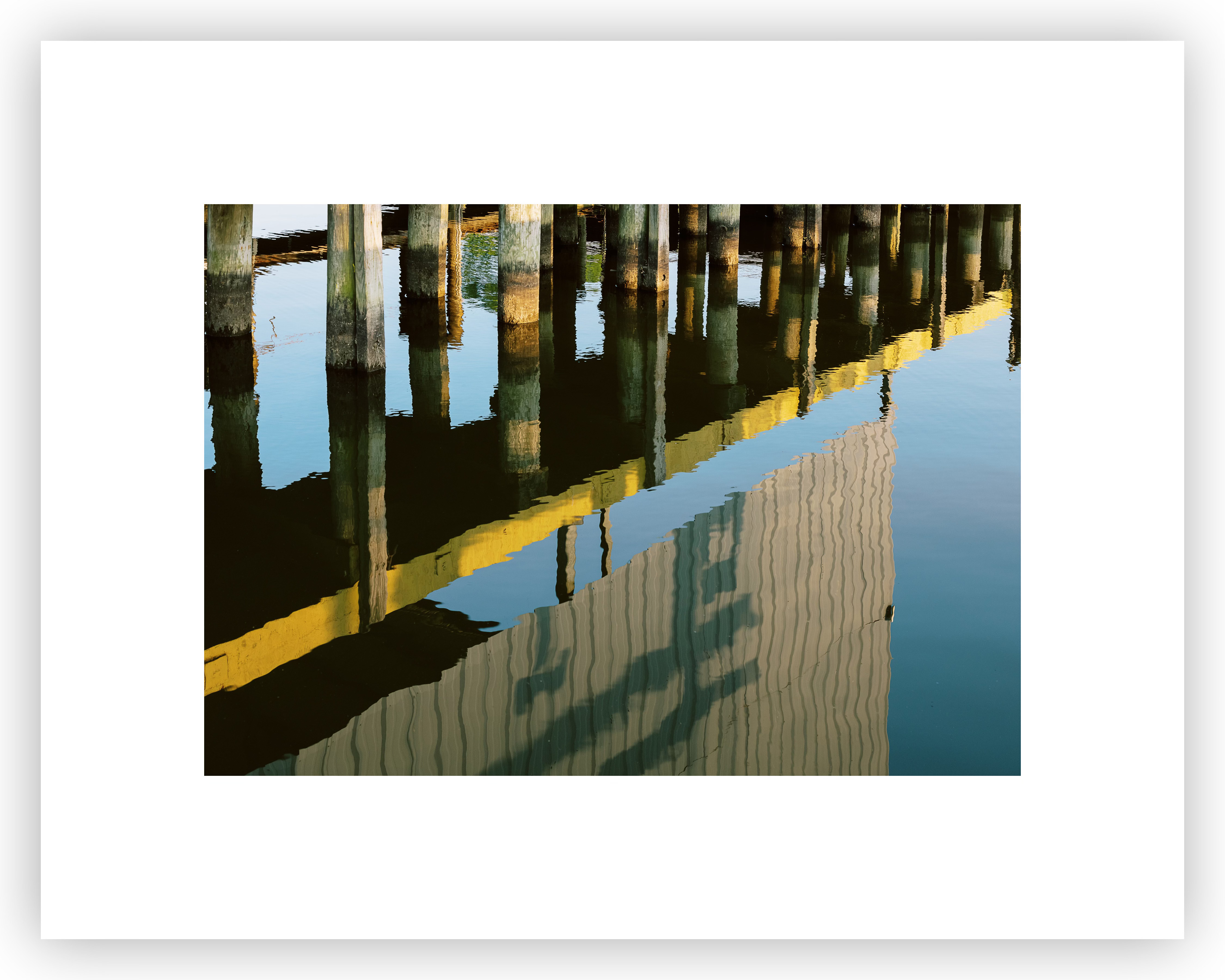
A while back I wrote a newsletter attempting to explain something that is obvious but not taken into account often when designing a print, paper size, border size, and aspect ratio of the photograph. I know, I know… way, way too much information for most people that don’t have to deal with these things every day. I thought I would follow extremely long explanation up and focus in on one super simple take-away buried in there.
For any rectangle that is not square as you add even borders the interior aspect ratio becomes skinnier, the larger the borders the skinnier it gets. Conversely as you add even borders to a given aspect ratio picture that is not square the fatter and fatter the aspect ratio gets.
Let’s take the above tidbit and combine that with deciding on how much white space you’d like in your final print design. Most prints, especially those on the smaller side in terms of the size of the photograph itself are elevated with a substantial amount of white space. If am making a print with a 3:2 aspect ratio photograph and start with an 11inx14in piece of paper let’s start with a luxurious 2in border. Personally I think that looks great with the photograph centered. In fact as you can see that gives us a photograph that is extremely close to 3:2 with even borders on that 11inx14in paper. Some simple math will show that’s a 7x10in space in the center.
If you’re using the Lightroom print module just setup your 2in borders and check zoom to fill and you’re done. Close enough and most pictures won’t be compromised with that minor crop of about 1/4in off each side of the long edge. Your desire for everything symmetric will be fulfilled. But you say; “I want a perfect 3:2 aspect ratio”. Don’t worry… Here’s where that luxurious amount of white space comes into play.
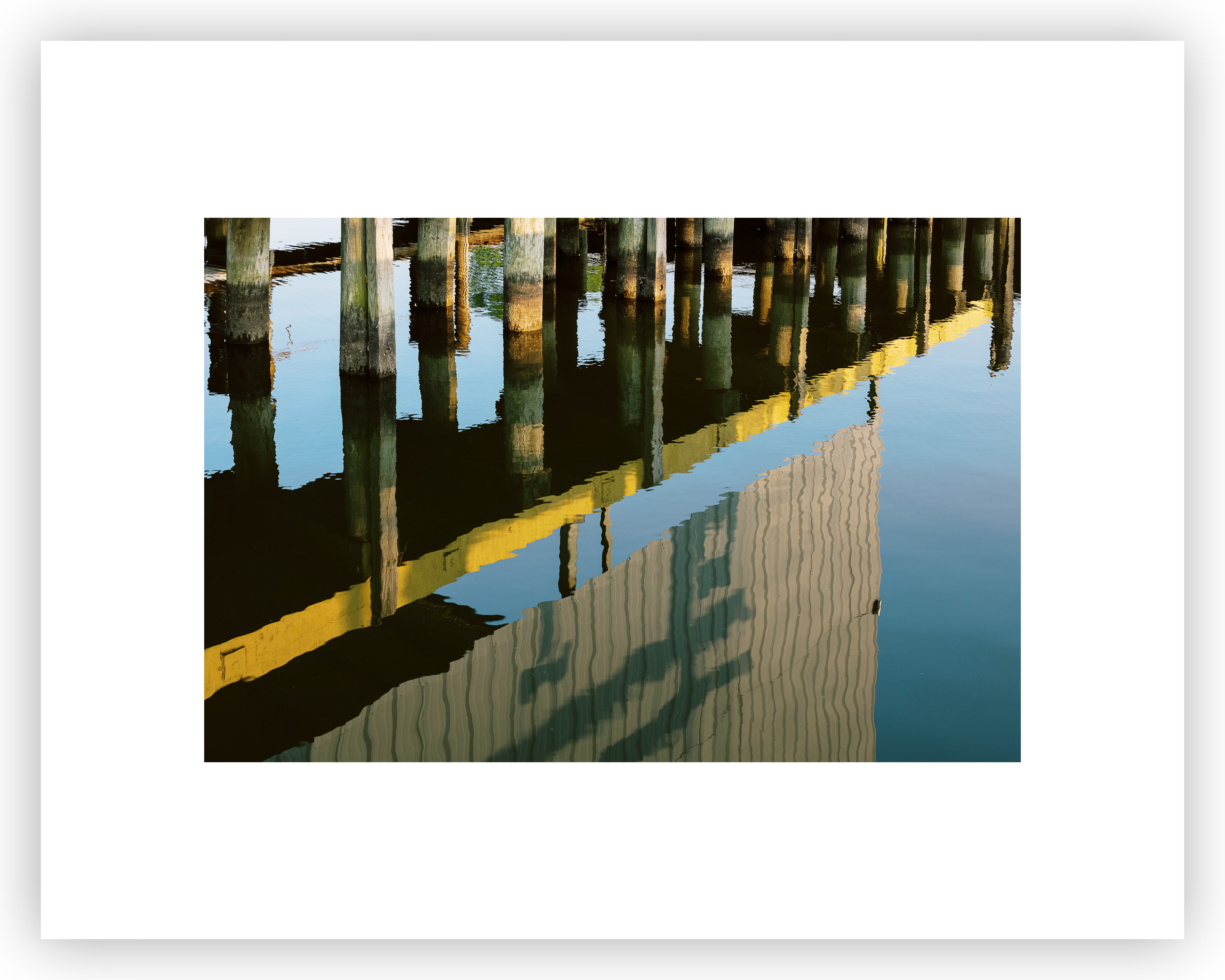
Don’t check the zoom to fill box in Lightroom. Instead let the cell size contain the photograph without cropping. Now we have 2in borders on the sides and slightly larger borders on the top and bottom. It still looks great. You could leave it centered or weight it all on the bottom and it would still look great (I used to do that with 6x9in photographs on 8x10in paper when printing in the darkroom a lot).
No, that’s not for you. Okay, make the top and bottom borders exactly 2in and let the sides be a little narrower. Here’s what that looks like…
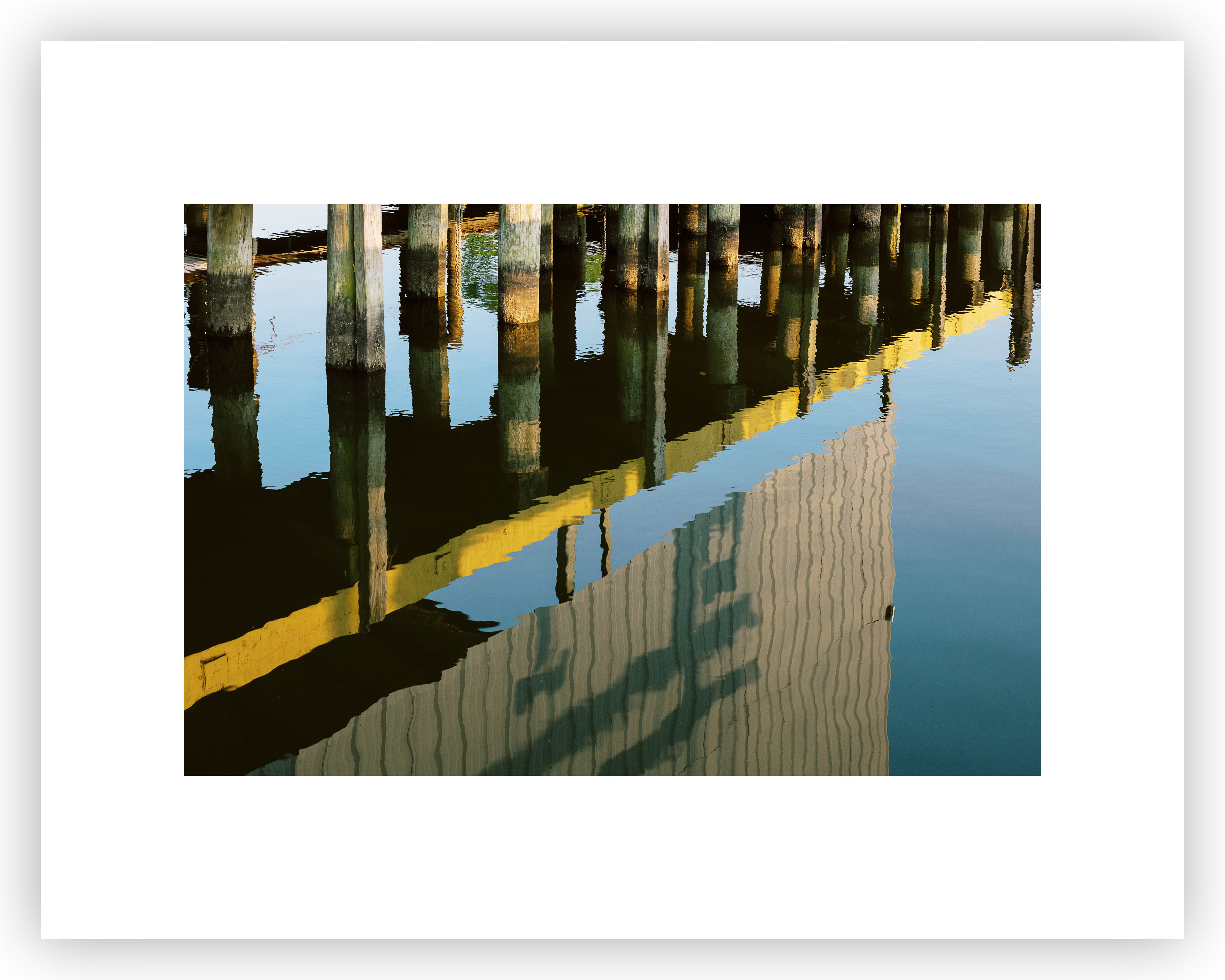
They all look great. When I make prints of this particular project I tend to go with the last option illustrated. My choice is based solely on what I think looks the best for this group photographs, probably because of the horizontal orientation of them combined with the overall feel of lines in the compositions themselves.
So, why 11x14in, it certainly is not a popular pre-cut fine art paper size. You can find it from a few manufacturers here and there but not many and not in every paper. There’s a reason I recommend that a great paper trimmer is one of the first tools you’ll want to buy right after a printer. This is certainly one of them. 11x14 will fit in 13in printers which might be the right printer for you. I could live with a good 13in printer for my personal work and be happy. Let me list the reasons this is such a great size…
Buy 17x22 paper and use it for quite a few things by cutting to 11x17 and then shaving off 3in. Don’t forget to keep that slice.
11x14 prints with 2in borders are elegant hand-holdable, intimate prints, great for a small portfolio and begs close inspection.
They are also plenty big to display on a table, wall, or anywhere else. Big enough to attract attention when mounted but small enough to be intimate and allow you to show a large number of photographs without an enormous space.
They are super easy to frame and recycle those frames for other purposes.
They are economical in every way no matter how you decide to produce and show them.
They are wide enough to support a deckled edge and still look elegant and un-forced.
In every way this is my go-to size and has been since the dark-room days, it happens that this was the largest I was setup to process given my enlarging easel, development trays, and print washer. It just might become your go-to size to?
Stay tuned, I will have a lot more to say about some of these points in the coming weeks and months. Les and I will be adding some practical and affordable print mounting and display tips for those of you that aren’t so handy and are on a tight budget. So much we want to accomplish for this community in 2026. If you can help us keep the lights on with a paid subscription.
Workshop updates
Intro To Fine Art Printing
We’ve opened a new date (May 2, 2026) for our most popular workshop — Intro To Fine Art Printing. This one-day workshop fills up quick as we strictly limit attendance to four participants. You can find more information and sign-up over at Les’ website.
Matting & Framing Workshop
This workshop is not about printing, instead it’s a hands-on workshop that shows you how to mat and frame your work. Due to the hands-on nature of this workshop it’s limited to three participants and is offered once/year. Get more info and register on Les’ site.
That’s it for now but we have some other workshop topics in the works for 2026 but we’ve had a hard time keeping up with our most popular workshops. If the dates currently available fill up please do not hesitate to ask us to be on a waiting list. We’ll do our best to make sure you get the first opportunity for newly scheduled dates.
Thank you to all of our subscribers, and especially those that help fund this newsletter.
I think the importance of a suitable border around the printed image cannot be overstated, and I developed an Excel tool to help calculate a suitable border for any given print size (typically requires trimming the paper except in specific circumstances such as your 11x14 example).
https://cuchara.photography/2023/10/golden-ratio-print-borders/
Bob, tell me why you prefer 11x14 over 13x19, which is readily available. 11x14 was my favorite in the darkroom days also. I never understood why it was replaced by 13x19 in the digital world.